

Important Note Before Installation
Thank you for purchasing the Homely Web Version.
Before starting the web installation process, you must first install and configure the main Homely Flutter + Laravel Backend Script.
Please carefully follow the Homely Backend Documentation before proceeding with the web version setup.
The Web Version is developed using Laravel and works as a separate codebase connected to your existing backend system. It includes its own dependencies, assets, and installation process.
Introduction
Homely is a complete real estate property listing solution built with Flutter for mobile applications and Laravel for backend management.
The platform includes powerful and modern features that help users easily buy, sell, rent, and manage properties through a clean and user-friendly experience.
Users can add detailed property information including images, pricing, location, amenities, property types, and advanced search filters. Additional features such as Tour Requests, 360¡Æ Property Images, Catalogue Management, Real-time Chat, and Location-based Property Search make Homely a complete solution for modern real estate businesses.
The Homely Web Version extends the platform with a fully responsive Laravel-based website, allowing users to access and manage property listings directly from desktop and web browsers.
Change Base URL
After installing the web version, you may need to change the base URL to match your domain or hosting environment. To do this, follow these steps:
-
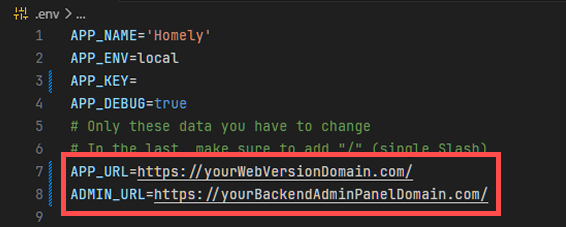
Open the .env file located in the root directory of your Laravel web version installation.
-
Find the line that starts with APP_URL=.
-
Change the value to your desired base URL. For example: APP_URL=https://yourWebVersionDomain.com/.
-
Find the line that starts with ADMIN_URL=.
-
Change the value to your desired backend admin panel base URL. For example: ADMIN_URL=https://yourBackendAdminPanelDomain.com/.
-
Save the changes to the .env file.
Firebase web config for web chat
-
Follow This guide and setup web project at firebase and collect firebaseConfig
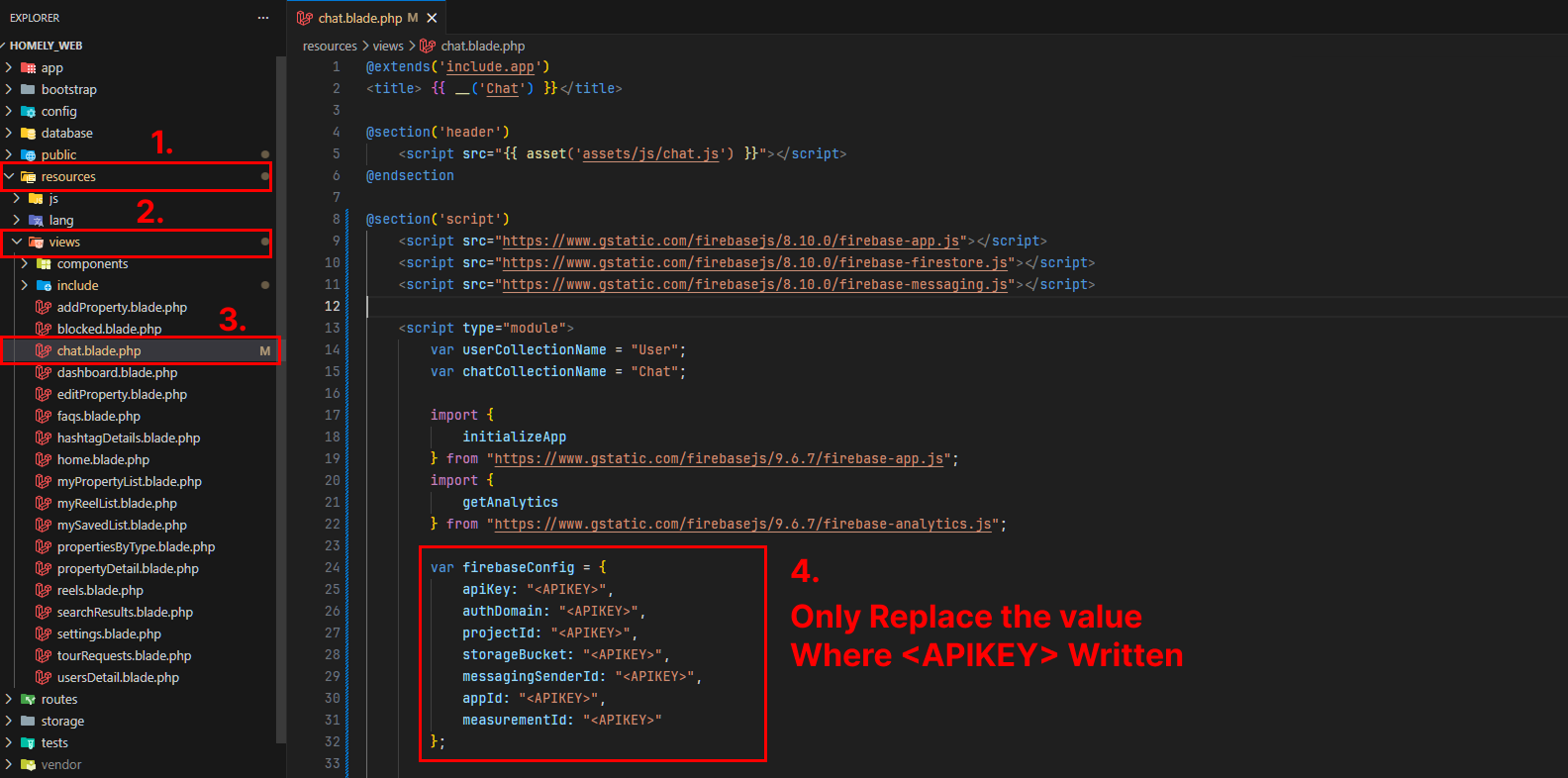
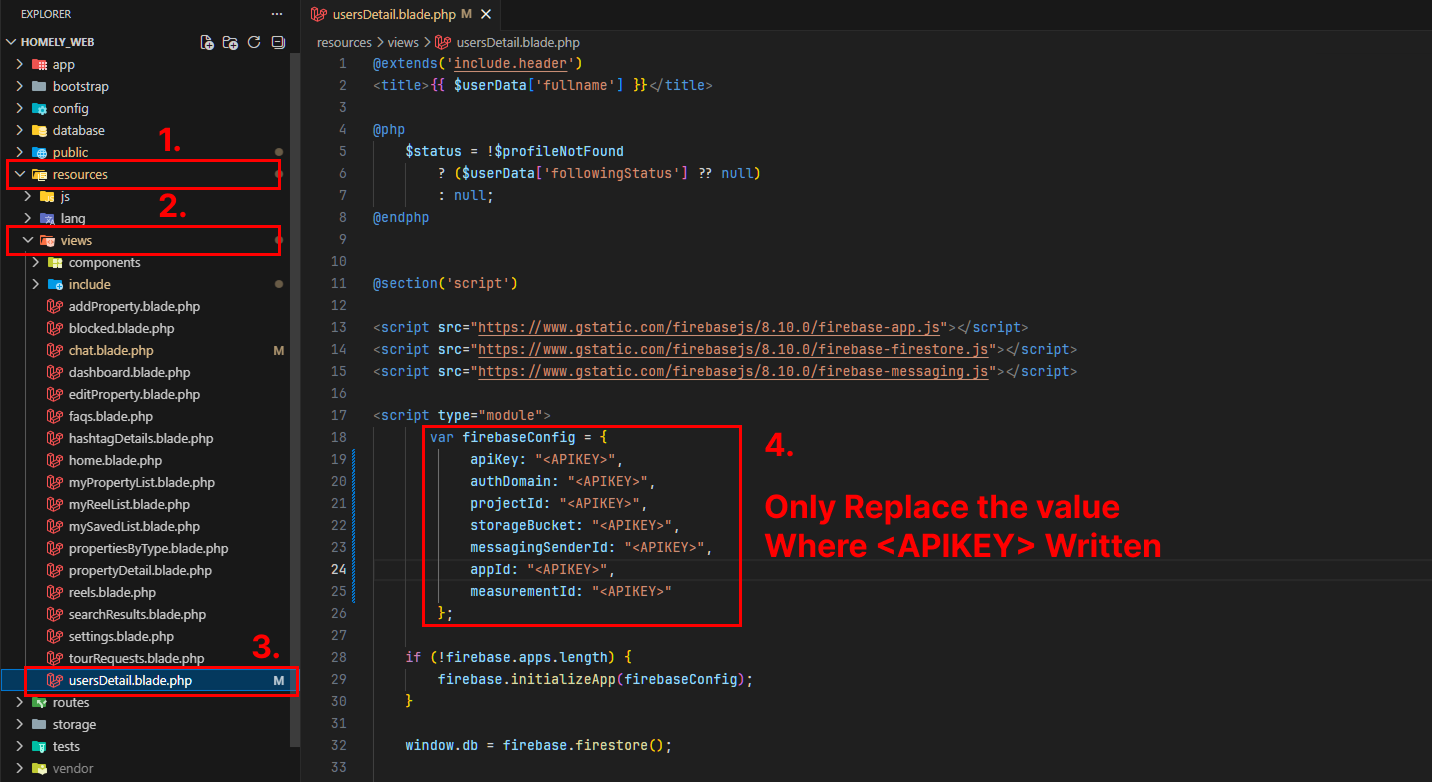
Now we have to change two other pages when we can use the web chat feature. We have to
change the
resources/views/chat.blade.php
resources/views/usersDetail.blade.php
files with the firebaseConfig that we have collected from the firebase web project.
Please refer the below image to change the firebaseConfig in the
resources/views/chat.blade.php
resources/views/usersDetail.blade.php
files. You have to replace the
firebaseConfig with your own firebaseConfig that you have collected from the firebase web
project.
For more detail Please refer the below image.
WEB PUSH KEY PAIR
-
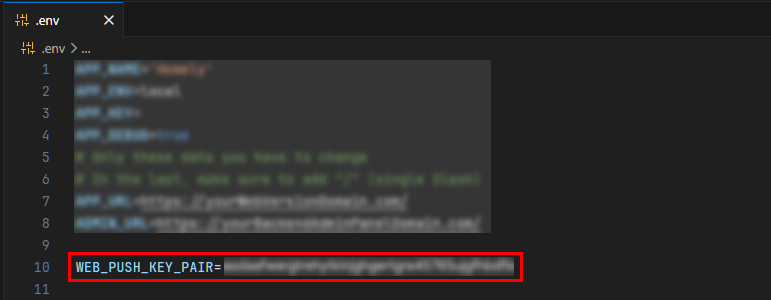
Follow This guide and setup project at firebase and collect WEB_PUSH_KEY_PAIR
-
then add the key in your .env file like as below
WEB_PUSH_KEY_PAIR=your_web_push_key_pair_here
HOST YOUR WEB VERSION
-
Now create the zip file of your web version and upload it to your hosting server where your website (Web Version) will be hosted.
-
Make sure that your targeted directory has the project files directly, and not wrapped in a folder
-
Cheers! Now try accessing your domain, the admin panel should be live there on your domain
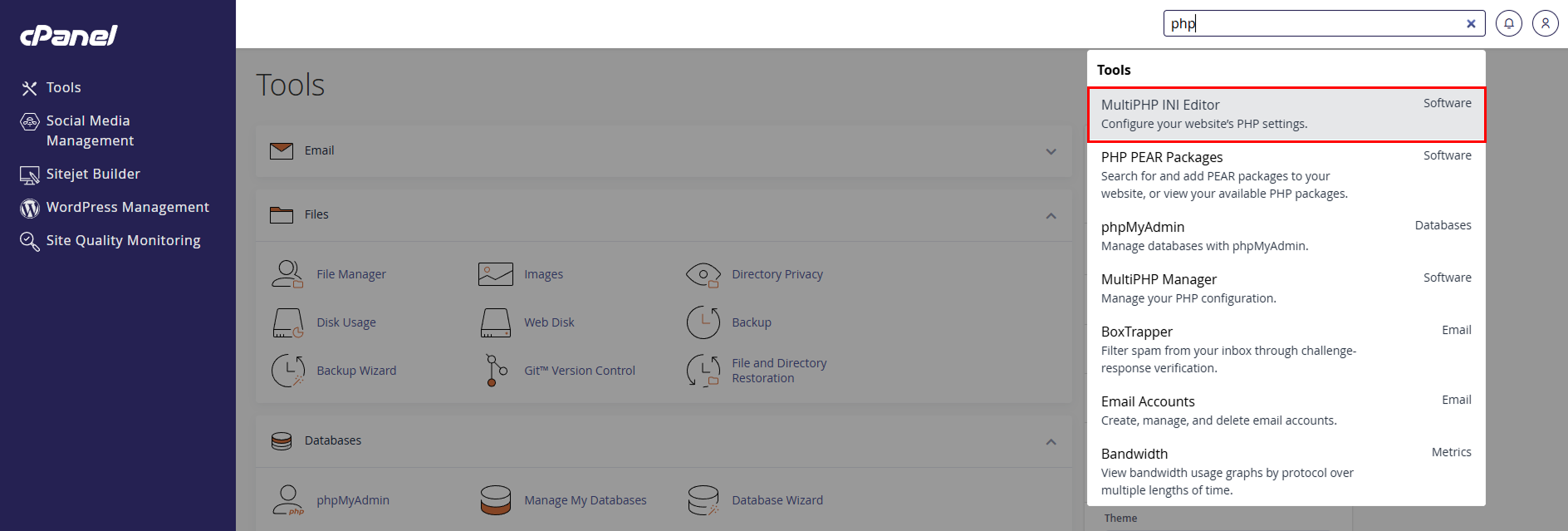
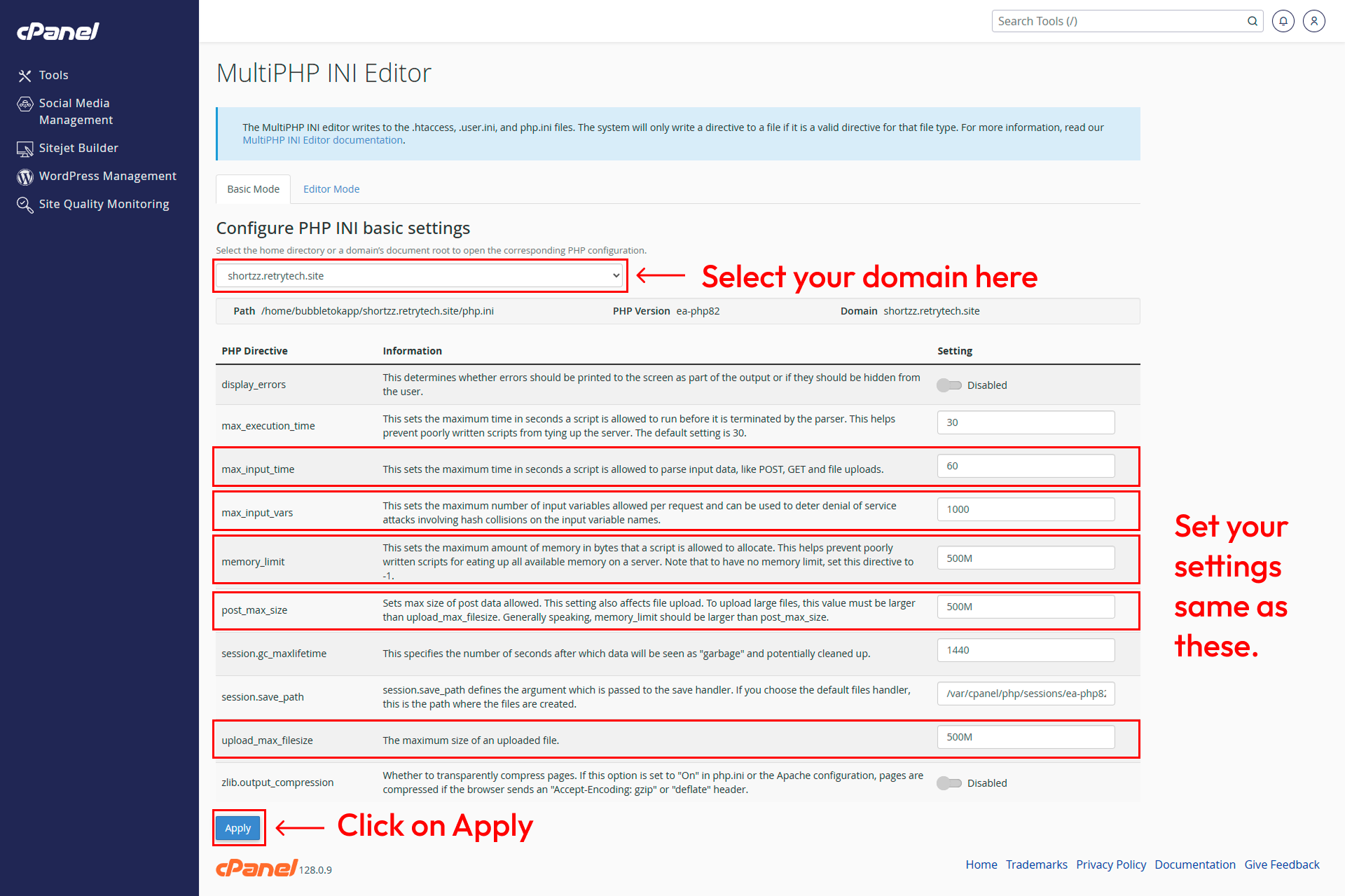
Misc. server settings at cPanel
-
memory_limit should be 500M
-
upload_max_filesize : 500M
-
post_max_size : 500M
-
max_input_time : 60
Cheers! All Done
-
Now you can access your web version from your web domain and start using it as the app use. all logins and features will work as the app use. You can also access the admin panel from your backend admin panel domain and manage your properties, users, and other settings from there.
Update info
-
To update your project (Whenever we update the project at Codecanyon), you have to Add/Update/Remove some files and fields in database (sometimes). Please check README.md file for the update information. (Mostly, can be found at root level directory of the project)
-
Please be careful while making an updates this way, It might result in errors sometimes.
-
If it comes any issues while making an update, you are absolutely responsible for that since updating existing project is not included in the support.
Want to talk with us?
- Telegram (Support Desk) : +91 7990425274
- Email : help.retrytech@gmail.com
- Whatsapp (No Support Here) : +91 7990425274